
2 months ago · 7 min read
How I Approach Maintainable Laravel Product Backends
A practical way to structure Laravel product backends around workflows, thin controllers, transactions, queues, and readable domain code.
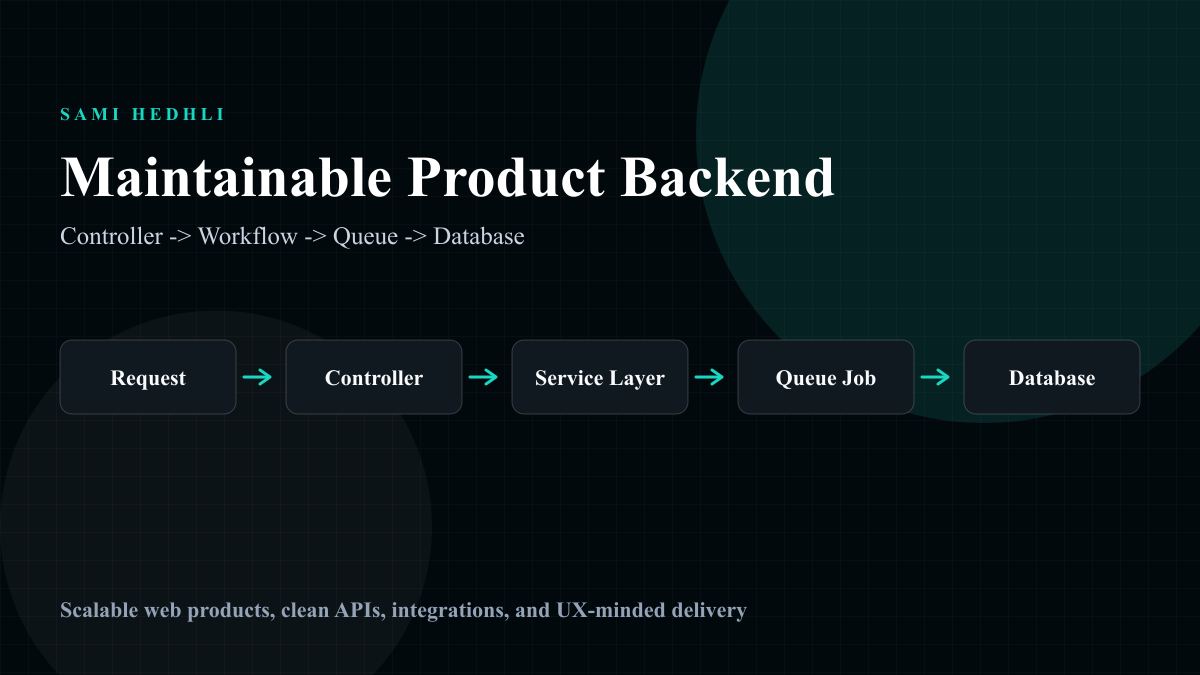
Start with the workflow, not the table
The Laravel codebases I trust most are not the ones with the cleverest abstractions. They are the ones where product behavior has an obvious home: validation lives near the request boundary, authorization is explicit, database writes are protected by transactions, and integration code is isolated from controllers.
For product work, I start by naming the workflow rather than the table. A payment retry, time-off request, AI message, content interaction, or internal task update is a business event before it is a controller method. That framing keeps code closer to product language and makes tests easier to write around real outcomes.
Keep controllers thin for the right reason
Thin controllers are useful only when the extracted code has a better name and a clearer responsibility. Moving everything into a generic service folder does not automatically improve maintainability. A good workflow class should answer one question: what product behavior does this action complete?
A controller can handle request validation, authorization, and response shape. The workflow layer can coordinate business rules, database transactions, events, notifications, queues, and external services. Models can represent relationships and local behavior without becoming a dumping ground for every product decision.
Protect critical writes with transactions
Most production bugs I worry about are half-completed workflows. A record is created, but the related state is not updated. A webhook is processed twice. A notification fires before the database commit succeeds. A queue job retries after an external provider times out. These are product bugs, not just technical bugs.
For important flows, I prefer explicit transaction boundaries and idempotent behavior. If a workflow creates related records, changes access, updates billing state, or schedules async work, it should be safe to understand what happens when it fails halfway.
Use queues as product infrastructure
Queues are not only for performance. They are a design tool for workflows that should be retryable, observable, or slower than a normal request. Email delivery, AI processing, report generation, webhook follow-up, and sync operations all become easier to reason about when they have explicit queued state.
A practical checklist
Before I consider a backend workflow maintainable, I ask whether a new engineer can find the business behavior quickly, whether request validation and authorization are visible, whether critical writes are transactional, whether async work can retry safely, and whether tests describe outcomes rather than implementation details.
Where this shows up in my work
This is the same thinking behind my social product backend, AI product backend, and internal workflow system case studies. The larger point is product behavior that remains understandable after launch.
FAQs
Should every Laravel app use service classes?
No. Service classes help when a workflow has business rules, multiple writes, external calls, or queue behavior. Simple CRUD can stay close to the request boundary.
Related work
Case Study
Social Platform Backend
Backend foundation for a social product with user accounts, content flows, activity tracking, and product logic.
Case Study
AI Product Backend
Backend development for a product using AI chat features, service orchestration, and payment flows.
Case Study
Internal Workflow System
A custom internal tool for daily entries, time off, resources, todos, and team organization.
Related articles
How I Think About Stripe Payment Flows in Product Backends
A practical blueprint for payment flows: checkout state, idempotent webhooks, subscription access, grace periods, and operational debugging.
Adding AI Features Without Turning the Product Into a Demo
How to structure AI product features around service boundaries, queues, rate limits, state, and failure handling so they survive real users.