
1 month ago · 7 min read
What I Learned Building Internal Workflow Tools
Reflections on designing operational software: mapping team coordination into simple workflows, useful states, readable screens, and maintainable data models.
Internal tools expose real product complexity
Internal workflow software looks simple from the outside, but it usually carries a lot of operational detail. Permissions, reminders, approvals, daily entries, comments, filters, exports, notifications, audit trails, and reporting all compete for attention.
The best internal tools reduce coordination cost. They help people answer practical questions faster: what needs attention, who owns it, what changed, what is blocked, and what should happen next.
Model the workflow before the database
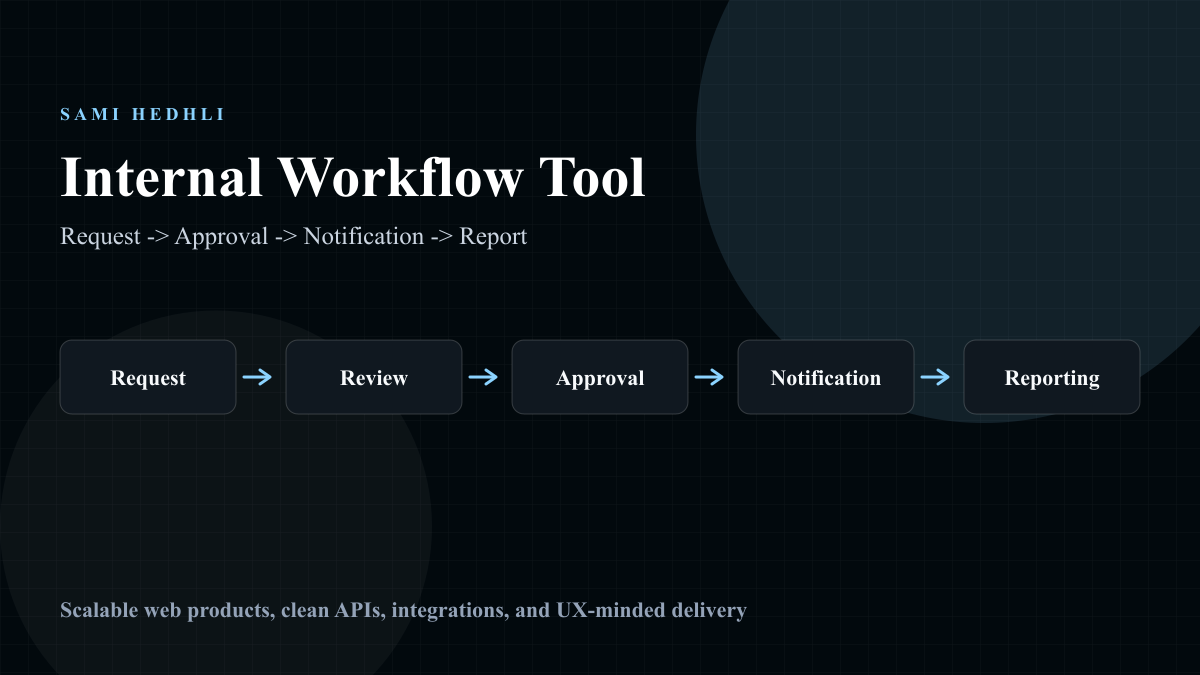
I like to start by mapping the workflow in plain language. A request is submitted, reviewed, approved, rejected, changed, completed, or reported. A daily entry is drafted, submitted, edited, reviewed, and aggregated. Once the states are clear, the database model becomes easier to reason about.
Design screens for repeated scanning
Internal tools are opened again and again. That changes the design priorities. Users need fast scanning, stable layouts, useful defaults, clear filters, and predictable actions. Dense but organized information is better than decorative screens that hide important state.
Reporting is part of the product
Reporting often starts as a small table and becomes a major feature. Teams want filters, exports, aggregates, trends, and accountability. If reporting queries are treated as an afterthought, the tool can become slow exactly when it becomes useful.
A practical checklist
For internal tools, I ask whether the main workflow is clear, repeated screens are easy to scan, permissions match real responsibilities, notifications are useful, reporting paths can scale, and the system has enough audit history to explain important changes later.
Where this shows up in my work
This is the lesson behind my internal workflow system case study and parts of Orbit. Good operational software is about building enough structure to protect the workflow while keeping daily work understandable.
FAQs
What makes an internal tool useful?
It reduces coordination cost for repeated work. The screen should match how the team thinks, while the backend keeps workflow state and reporting reliable.